

Buying guide · Software & systems
Should your business buy the new Mac mini? The M6 and M5 Pro compared
Apple's new Mac mini starts at A$1,449 with the M6 chip. What changed, which configuration suits a small business, and what the first reviews found.
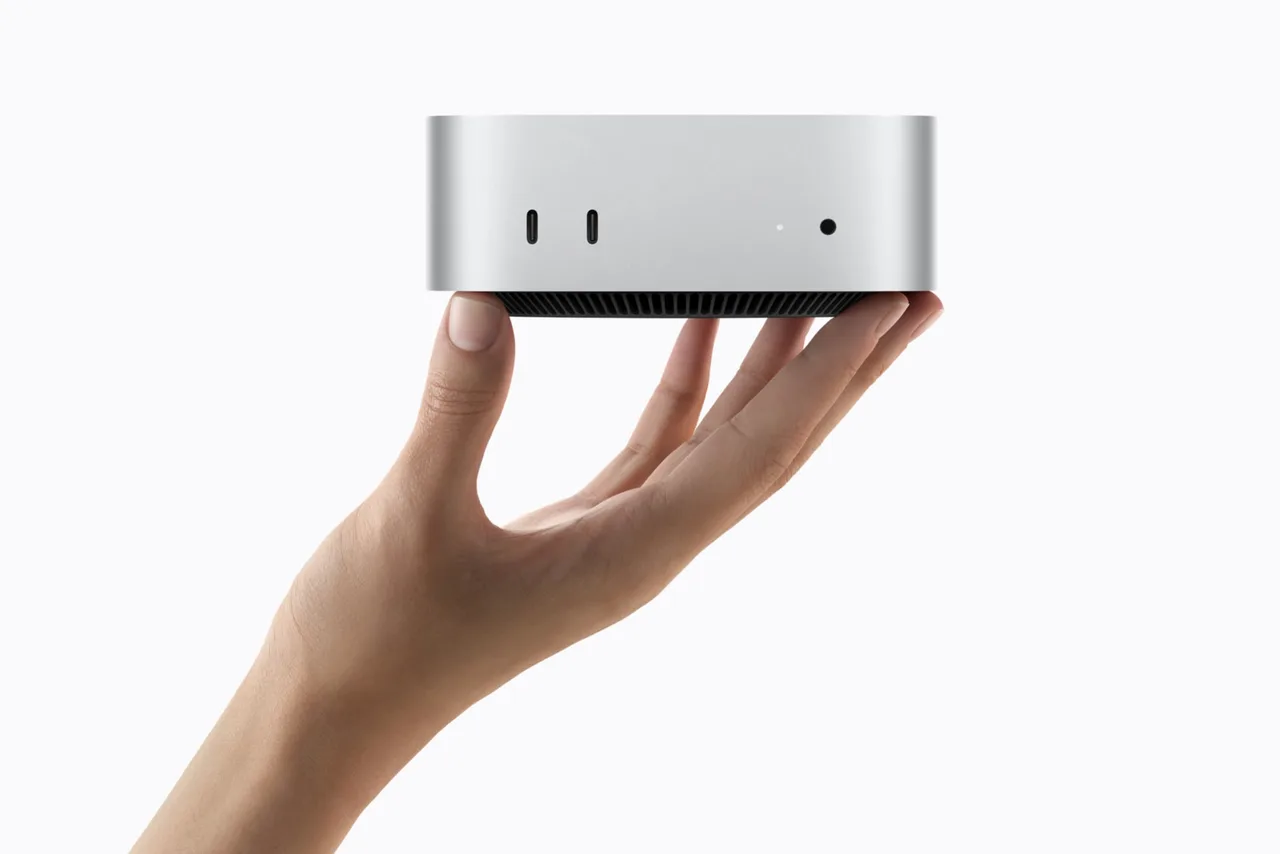
Apple’s new Mac mini reached Australian customers and stores on 22 September, after pre-orders opened on 25 August. It’s the same small aluminium box as before, now with Apple’s M6 chip from A$1,449, or the M5 Pro from A$2,699. For a small business it remains one of the simplest ways to put a capable desktop on a desk: plug in a screen, keyboard and mouse, and it’s ready.
The catch is the price. The previous M4 model launched at A$999 in 2024 and cost A$1,299 by mid-2026 after Apple dropped its 256GB version. Reviewers have been clear that the new one is no longer the bargain it was. This guide sets out what changed, which configuration makes sense for a business, and what to watch before you order.
What changed from the M4 model
The design and ports are unchanged, and so is the base memory. The changes are inside.
| Feature | Mac mini M4 (2024) | Mac mini M6 (2026) |
|---|---|---|
| Base memory | 16GB | 16GB |
| Memory bandwidth | 120GB/s | 153GB/s (16GB) or 170GB/s (24GB and 32GB) |
| Wi-Fi and Bluetooth | Wi-Fi 6E, Bluetooth 5.3 | Wi-Fi 7, Bluetooth 6, plus Thread |
| Built-in Ethernet | Gigabit (10Gb optional) | 2.5Gb (10Gb optional) |
| Ports on the back (base chip) | 3 Thunderbolt 4, HDMI, Ethernet | 3 Thunderbolt 4, HDMI, Ethernet |
| Starting price in Australia | A$999 at launch | A$1,449 |
The M6 has a 12-core CPU and a 12-core GPU. Apple claims the new Mac mini is up to 40% faster for CPU tasks and up to 4× faster for AI than an M4 Mac mini. That comparison was against an M4 model with 32GB of memory and 2TB of storage. Independent tests back up solid gains: WIRED measured single-core performance 21% and multi-core 36% ahead of the M4, and 9to5Mac’s Geekbench results showed 24% and 48%.
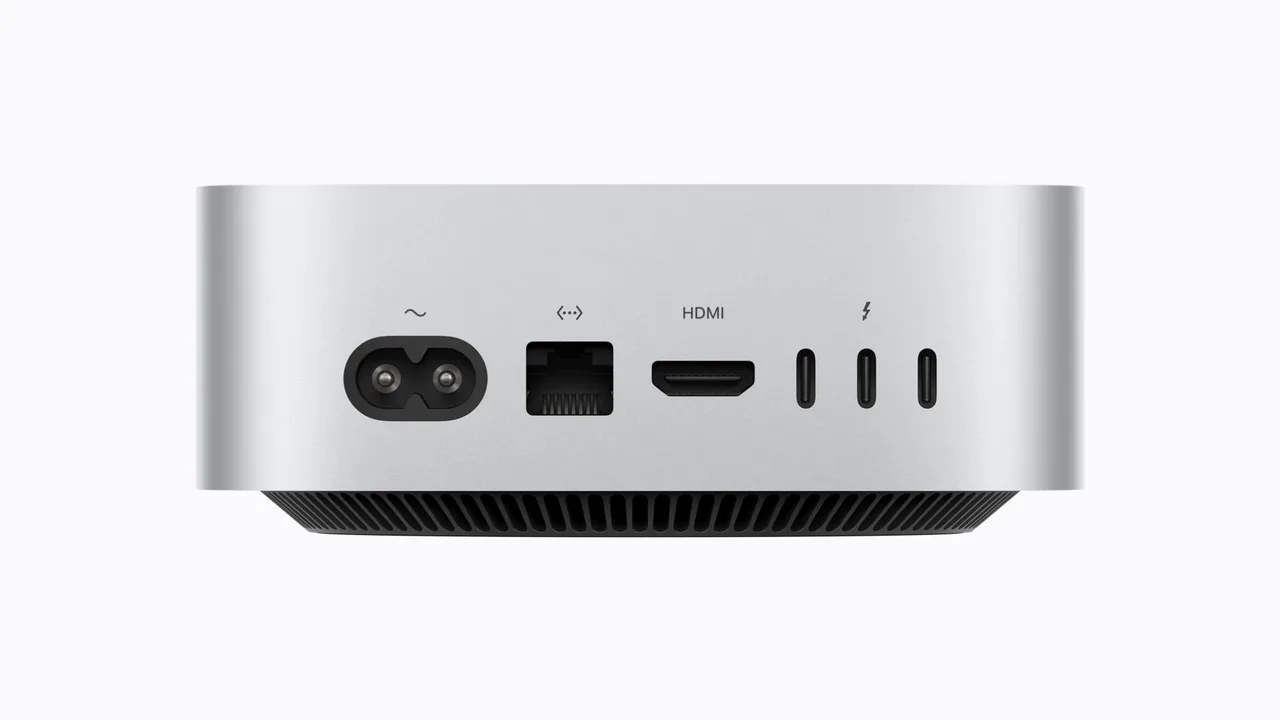
The M5 Pro model steps up to a 15-core CPU and 16-core GPU (configurable to 18 and 20 cores), 307GB/s memory bandwidth, and Thunderbolt 5 ports. Both models support up to three external displays. The M5 Pro can run all three at 6K.
What the first reviews found
- WIRED scored the M6 model 9 out of 10, praising its power and AI gains. Its complaints: the price, no SD card slot, and 16GB of base memory, which it says isn’t enough for agentic AI.
- Engadget didn’t encounter the loud fan noise it had heard from the M4 Pro Mac mini under heavy loads, and warned that Apple’s memory upgrades are overpriced.
- 9to5Mac measured storage speeds of roughly 6,000 to 6,400MB/s, around double the M4 model it compared against. Tom’s Guide found a similar jump and recommends at least 512GB of storage.
- Six Colors called the base model’s performance “more than enough” for most everyday tasks, with price the main drawback.
- Macworld recommends the M6 for most buyers and the M5 Pro for people who want to run larger AI models locally.
MacRumors’ roundup sums up the consensus: a very capable machine, including for AI, but with an unwelcome price rise.
Things to know before you buy
- Pick your storage now. MacRumors reports the SSD is now soldered in, unlike the M4 model’s removable module, so it can’t be upgraded later. Citing third-party tests, it also reports that the 256GB model uses a single storage chip and runs at roughly half the speed of 512GB and larger models. That’s why none of our picks start at 256GB.
- Memory is fixed at purchase too, as on every Apple silicon Mac. In Apple’s standard configurations, each step from 16GB to 24GB, or from 256GB to 512GB, adds A$300.
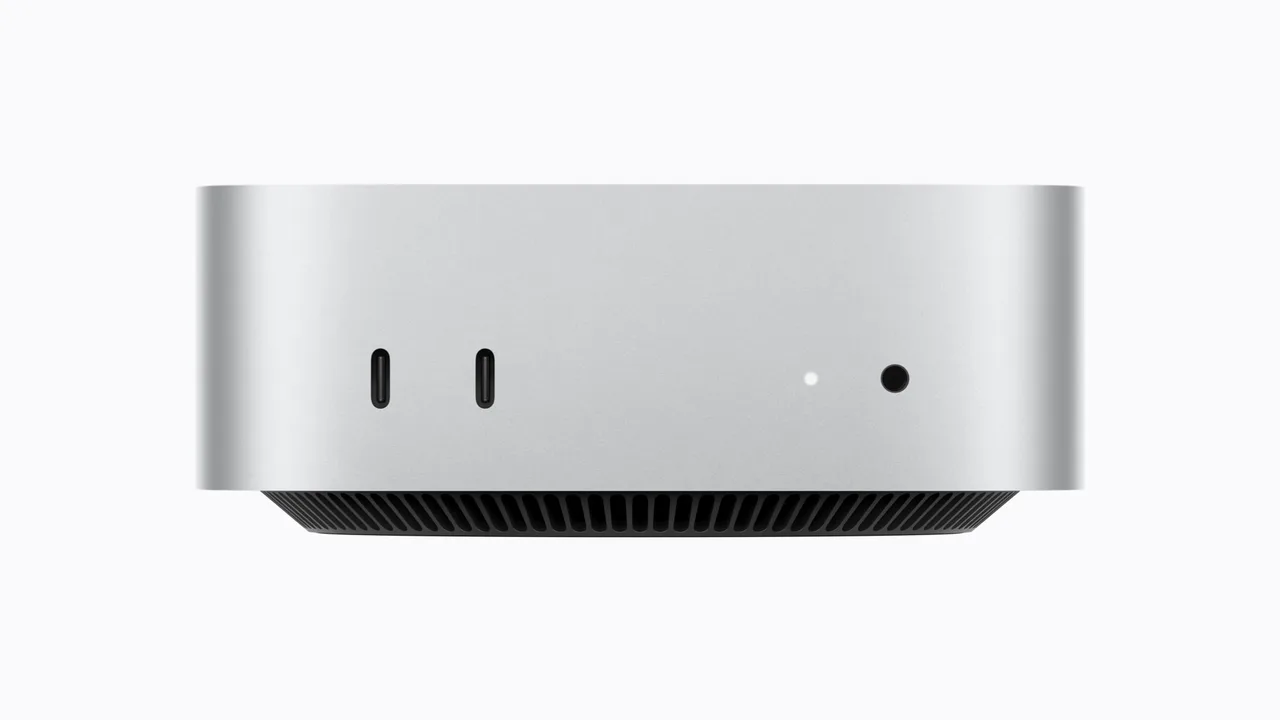
No USB-A. Apple lists two USB-C ports on the front and Thunderbolt ports on the back, with no USB-A ports. Older USB keyboards, receipt printers or scanners may need an adapter or a dock.
- AI features come with limits. The Mac mini ships with macOS 27. Apple says Siri AI is rolling out in beta, in English first, and that server-side features, including Siri AI, are subject to daily usage limits.
- Cover it. AppleCare+ for Mac mini costs A$6.99 a month or A$69.99 a year in Australia.
Which one to buy
For a typical office, reception or bookkeeping desk, the M6 with 16GB and 512GB (A$1,749) is the sensible default. The extra A$300 over the base model buys faster storage and room to grow. If staff run many apps at once, or you want to experiment with AI tools that run on the machine itself, the 24GB model (A$2,049) is worth the step up. The M5 Pro (A$2,699) only earns its price for video and design work, several high-resolution displays, or larger local AI models.
If your current computers are only a few years old and still doing the job, there’s little reason to rush. Our guide to prioritising digital spending can help you decide whether this is the year.
Disclosure: Digital Advisors has no commercial relationship with Apple or any retailer mentioned here, and this guide contains no affiliate links. We haven’t tested the new Mac mini ourselves; hands-on findings are attributed to the publications that tested it.
Our picks
Best for most office desks
Mac mini M6, 16GB memory, 512GB storage
In our view, plenty for email, browsers, accounting software, Microsoft 365 or Google Workspace, and light photo editing; Six Colors and Tom's Guide both found the M6 more than capable for everyday work. Includes the faster 512GB storage and supports up to three external displays.
A$1,749 · checked 25 Sept 2026See Mac mini M6, 16GB memory, 512GB storage (opens in a new tab)Best for heavier multitasking and trying AI tools locally
Mac mini M6, 24GB memory, 512GB storage
The extra memory gives headroom for many apps at once and for running AI models on the machine. WIRED's reviewer concluded that 16GB isn't enough for agentic AI work.
A$2,049 · checked 25 Sept 2026See Mac mini M6, 24GB memory, 512GB storage (opens in a new tab)Best for video, design and larger local AI models
Mac mini M5 Pro, 24GB memory, 512GB storage
A 15-core CPU, 16-core GPU, about 1.8 to 2 times the memory bandwidth of the M6, and Thunderbolt 5. It can drive three 6K displays. Macworld recommends it for running larger AI models locally.
A$2,699 · checked 25 Sept 2026See Mac mini M5 Pro, 24GB memory, 512GB storage (opens in a new tab)
How we chose. We compared Apple's standard Australian configurations using Apple's published specifications and prices, checked on 25 September 2026, and the findings of published hands-on reviews, which are attributed in the text. We haven't tested the new Mac mini ourselves. This is a researched buying guide, not a hands-on review.
Sources 20 sources
- Apple Newsroom (Australia): Apple unveils a more powerful Mac mini featuring the all-new M6 and M5 Pro (25 August 2026)
- Apple Newsroom: Apple unveils a more powerful Mac mini featuring the all-new M6 and M5 Pro
- Apple Newsroom: Apple introduces M6 and M5 Ultra
- Apple Newsroom: The new Mac mini and Mac Studio are available today
- Apple (Australia): Mac mini technical specifications
- Apple (Australia): Mac mini
- Apple Store (Australia): Buy Mac mini
- Apple (Australia): AppleCare+
- MacRumors: New Mac mini reviews roundup (21 September 2026)
- MacRumors: New Mac mini SSD can't be removed (22 September 2026)
- WIRED: Apple Mac mini (M6) review
- Engadget: Apple Mac mini (M6) review
- 9to5Mac: M6 Mac mini review
- 9to5Mac: M6 Mac mini vs M4 Mac mini, all the new features
- 9to5Mac: Three things Apple didn't highlight in the M6 Mac mini announcement
- Tom's Guide: Mac mini M6 review
- Six Colors: M6 Mac mini review
- Macworld: Should you buy a Mac mini now or wait?
- Apple Support: Mac mini (M4, 2024) technical specifications
- ChannelNews: Apple lifts Mac mini entry price