How your phone number moves onto an eSIM, and what it can’t fix
An eSIM is a chip that downloads your SIM instead of holding a plastic card. How the download works, how your number moves, and the ID checks that guard it.
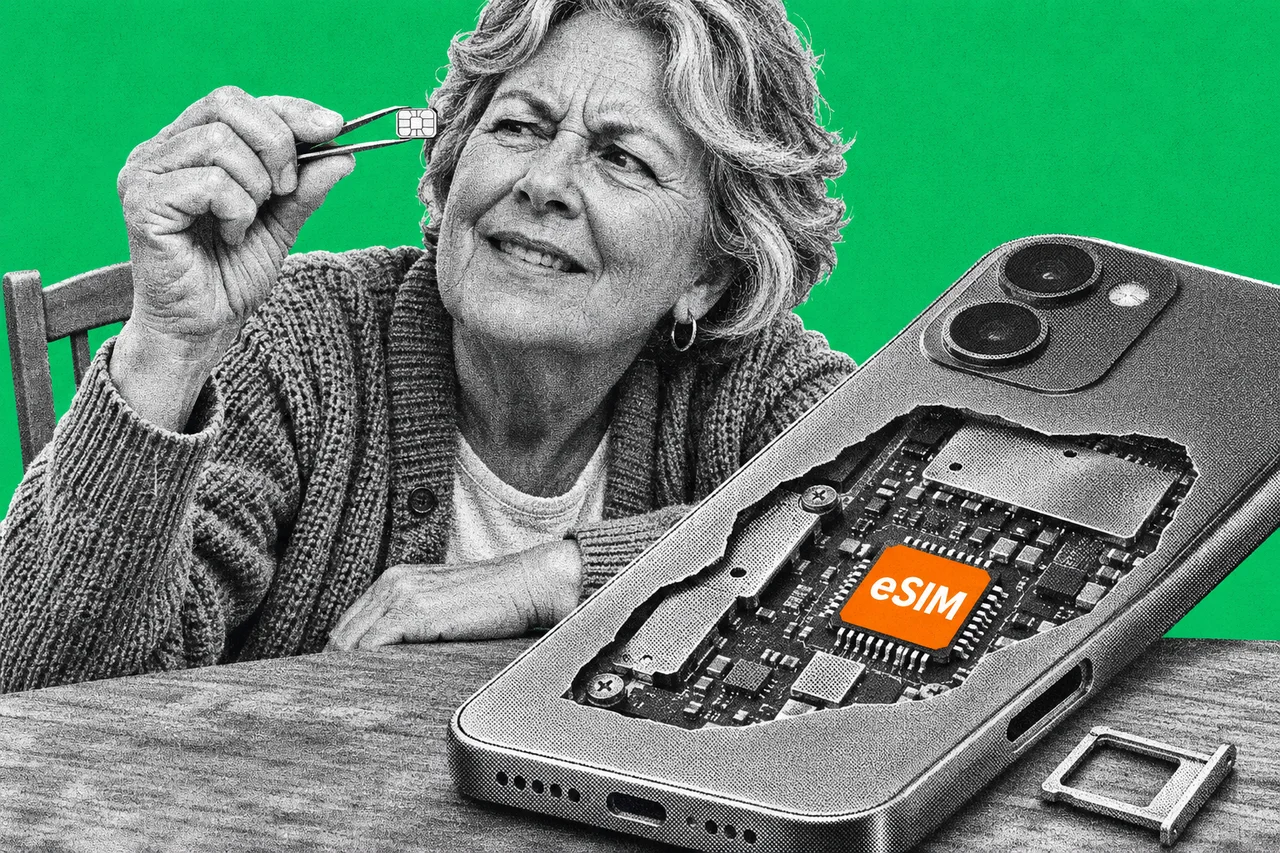
Your next phone might not have anywhere to put a SIM card. In Australia, Apple’s iPhone Air and iPhone Duo only take an eSIM. So how does your number get in there?
The short answer: a SIM card was always mostly data. An eSIM keeps the chip in the phone and downloads the data instead.
The card was never the clever bit
A plastic SIM card carries a small chip holding your telco’s details and the keys that let the network trust your phone. An eSIM moves that chip inside the phone permanently.
The mobile industry body GSMA writes the rules for how this works. Its technical specification calls the chip an eUICC, a name that comes from “embedded” universal integrated circuit card. Each one has its own 32-digit ID number, the EID.
What lives on the chip is called a profile. The GSMA defines it as the data and apps a telco installs to provide service. In plain terms, a profile is everything your old SIM card held. One chip can store several, which is how one phone carries a work number and a personal number.
Where the download comes from
Your telco doesn’t post you a card. It prepares your profile on a server, which the specification calls an SM-DP+ (subscription manager data preparation).
Your phone needs to know where to collect it. That’s what the QR code is for. It holds an “activation code”: the server’s address plus a matching ID for your profile. You can also type the code in by hand, or let the telco’s app pass it to your phone.
Built-in software on the phone, the Local Profile Assistant, then fetches the profile. Here’s the clever part. Before it’s sent, the profile is cryptographically bound to your phone’s chip. A copy grabbed in transit is useless on any other phone. Google’s Android documentation describes the same steps, and notes that a telco can use the EID to prepare a profile for one specific phone.
Apple says an eSIM is more secure than a SIM card in one obvious way: it can’t be pulled out if your iPhone is lost or stolen.
Moving to a new phone
Most of the time you won’t see any of this. If your telco supports it, your phone can move your eSIM across for you.
On iPhone, Apple’s eSIM Quick Transfer moves the SIM from your old iPhone without calling your telco. Both phones need iOS 18.4 or later, the same Apple Account, Bluetooth on and the old phone unlocked. The old SIM switches off when the new one activates. Apple lists Optus, Telstra and Vodafone as supporting it in Australia. On iOS 26 or later, some carriers also support moving an eSIM between Android and iPhone.
On a Pixel, Google’s transfer works from a physical SIM or an eSIM. Both phones need Android 12 or later and a screen lock. If the transfer fails, Google says your existing SIM can keep working.
Telstra customers can also transfer an eSIM in the My Telstra app, but only the account owner gets that option. Telstra says the eSIM left on the old phone becomes inactive.
Swapping a card for an eSIM
You can also convert a SIM card to an eSIM on the same phone, if your telco supports it. It’s free in the My Telstra app. Vodafone calls it a SIM swap and puts it in the My Vodafone app.
The old card stops working once you switch, Telstra says. Going back isn’t instant either. You have to order a replacement SIM. The app won’t do that if you’ve joined in the past three months. The same goes if you changed your billing or email address, or asked for two or more replacement SIMs, in that time.
Changing telcos is a different job
Moving your number from one telco to another is called porting, and it’s separate from the SIM. The ACMA, the telco regulator, says you don’t need a new phone to port a mobile number, just a new SIM. That can be an eSIM.
A port usually takes about three hours, and your old telco may charge a fee of about $8. Your old telco can’t refuse or delay it, even if you owe it money.
Vodafone tells new customers to transfer their number first, then activate. Don’t delete the eSIM profile while the transfer is under way, or it can fail.
Why the ID checks matter more than the chip
An eSIM can’t be stolen from your phone. But your number can still be stolen from your telco. A criminal who talks a telco into porting your number, or swapping it onto their SIM, gets your texts. That includes login codes.
Two sets of rules guard against that. Since 30 April 2020, an industry standard has required the new telco to check before porting any mobile number. It must confirm the person has your phone, by calling it or sending an SMS code, or use biometrics. Only if that can’t be done, such as when the phone is lost or stolen, can it check ID documents instead. No check, no port.
A separate set of rules covers SIM swaps and other high-risk account changes. Telcos must use at least two proofs of identity, such as a one-time code sent to your phone or a call to your number. The code message must tell you not to share it.
That’s why an unexpected verification text from your telco deserves attention. It may mean someone is trying to move your number. It’s also a reason to use an authenticator app rather than text messages for your most important logins, as our guide to two-factor authentication explains.
Checklist
- Check your telco supports eSIM transfers first. Apple lists Optus, Telstra and Vodafone for eSIM Quick Transfer in Australia.
- Keep your old phone nearby and unlocked until the new one activates. Apple’s Quick Transfer switches off the old SIM only once the new one activates.
- Check both phones meet the minimum before you start. Apple’s Quick Transfer needs iOS 18.4 or later on both iPhones; Google’s needs Android 12 or later.
- Don’t delete the eSIM profile while your number is moving. Vodafone warns that deleting it can stop the number transfer.
- Never share a verification code your telco sends. A code is one way telcos check it’s you before a SIM swap, and the message must tell you not to share it.
- Call your telco if a code arrives that you didn’t ask for. An unexpected code may mean someone is trying to move your number.
Tick items as you go. Your ticks stay in this browser.