Spot the scam: the unpaid toll text
A text says you owe a toll and must pay by link today. Here’s each warning sign the toll operators list, how to check for a real toll in a minute, and what to do if you paid.
Your phone buzzes with a text. It says you have an unpaid toll, fees are coming, and you need to pay through the link today. It might even land in the same thread as real messages from your toll account.
It’s one of the most common scams in the country. Transurban, which runs Linkt, says toll road text scams “rank among the most common in Australia”. By April 2024 it had logged close to half a million scam reports since 2021.
Here’s how to take one apart, sign by sign, using what the toll operators themselves have published.
What the text says
Transurban says Linkt text scams emerged in 2021. Linkt’s scam alerts page describes texts claiming “toll payments are overdue”, with a link to pay or to “verify the unpaid bill”. Often they threaten fines, penalties or fees if you don’t pay immediately.
In May 2026 Linkt reported “an increase in SMS scams impersonating toll road operators demanding urgent payment”. Scam emails run the same play. One that Linkt flagged in August 2025 asked people to pay an outstanding toll balance through a link “within 12 hours”.
The link goes to a fake toll website. One Linkt-branded scam site was built to steal “your personal and payment details”. Linkt also warns of fake sites that “closely mimic” its own.
Sign one: it wants you to pay through a link
This is the giveaway. Linkt says it “will never ask you to provide financial information or pay via a link”. When it sends a payment reminder, it asks you to log in to your account.
E-Toll in New South Wales says the same: “We will never ask you to click on a link to make a payment.” It also says its texts don’t contain bit.ly links.
EastLink in Melbourne says any link in its texts goes to its own website, eastlink.com.au. A link to any other address is a scam.
Sign two: the rush
Scam messages threaten fines, penalties or fees if you don’t pay immediately, or set a deadline of hours. Linkt warns to be careful with messages “creating a sense of urgency”. The pressure is there to stop you checking.
Sign three: it doesn’t know who you are
EastLink says a genuine text or email would always include your full name, your licence plate number and your real EastLink account number. A message that could have been sent to anyone probably was.
Sign four: the sender name
Scammers have faked the sender name, a trick called spoofing, so their message drops into the same thread as genuine Linkt texts.
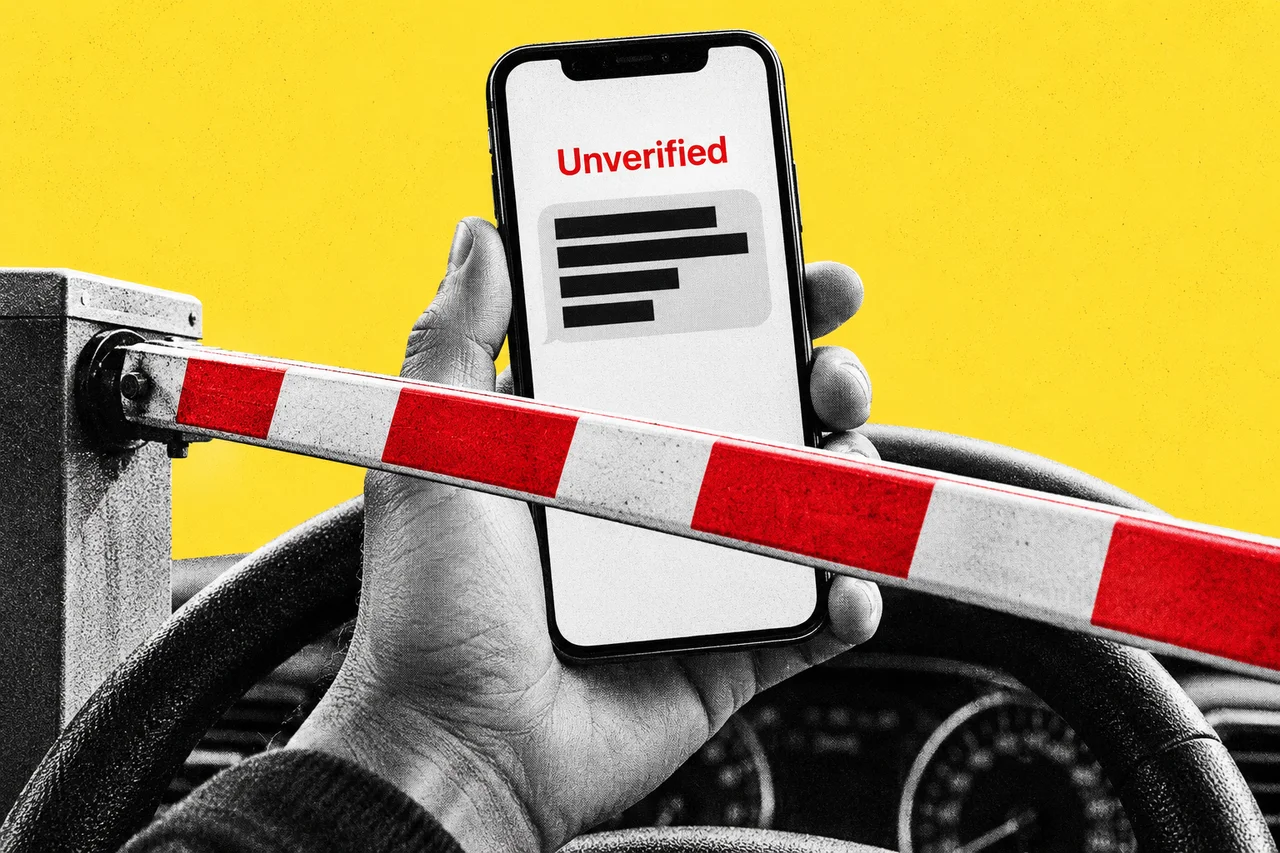
New rules from 1 July 2026 make that harder. Under the ACMA’s SMS Sender ID Register, businesses register the names they text from. A text using an unregistered name has it replaced with “Unverified”.
Linkt texts now show “Linkt” as the sender, and EastLink texts show “EastLink”. We explained how the register works for businesses in our story on the ‘Unverified’ label.
The sender name helps, but it isn’t the whole test. Transurban says that in very rare cases Linkt may still text from a mobile number, when it needs a customer to reply. A text that passes the name check but asks you to pay by link still fails sign one.
How to check in a minute
Don’t use anything in the message. Type the operator’s website yourself, or open its app.
- Linkt (Sydney, Melbourne and Brisbane roads): log in to your account at linkt.com.au or in the Linkt app. If you think you have an unpaid toll invoice, you can search by your licence plate number.
- EastLink (Melbourne): go to the Settle toll invoice page on eastlink.com.au, choose the LPN/STATE tab and enter your plate number and state. If nothing comes up, you don’t owe EastLink anything.
- E-Toll (NSW): log in to your account on the E-Toll website.
If there’s no toll owing there, the text was a scam. Delete it.
Where to report it
Linkt asks people to report fake Linkt messages through its website, or to Scamwatch at scamwatch.gov.au. EastLink says to delete fake EastLink messages without clicking or replying, and that there’s no need to report them to EastLink.
If you clicked and paid
Move quickly. ASIC’s Moneysmart says to contact your bank or card provider immediately, report the scam and ask them to stop any transactions.
If you typed in your name, address or other personal details, Moneysmart suggests telling your bank and other financial providers. It also suggests calling IDCARE, the free identity support service, on 1800 595 160 for help with a plan. Change any password you entered on the fake site, and watch your account for transactions you don’t recognise.
Moneysmart also warns to be wary of follow-up scams.
Checklist
- Never pay a toll through a link in a text. Linkt and E-Toll both say they won’t ask you to pay by link.
- Check the sender name. Since 1 July 2026, Linkt texts show “Linkt” and EastLink texts show “EastLink”. Treat “Unverified” texts about tolls as scams.
- Look up your plate yourself. Type linkt.com.au or eastlink.com.au into your browser, or open the operator’s app, and search for unpaid tolls by licence plate.
- Report fake Linkt texts. Use the Linkt website or Scamwatch at scamwatch.gov.au, then delete the message.
- Call your bank straight away if you paid. Ask your bank or card provider to stop the transaction and tell you what else to do.
- Call IDCARE if you gave personal details. The free service is on 1800 595 160 and can help you make a plan to limit the damage.
- Change any password you typed into the fake site. Change it anywhere else you’ve used it too.
Tick items as you go. Your ticks stay in this browser.