DMARC explained: the bouncer checking your café’s name at the door
DMARC tells Gmail, Outlook and Yahoo what to do with email that pretends to come from your business. Here’s how it works, explained through a café.
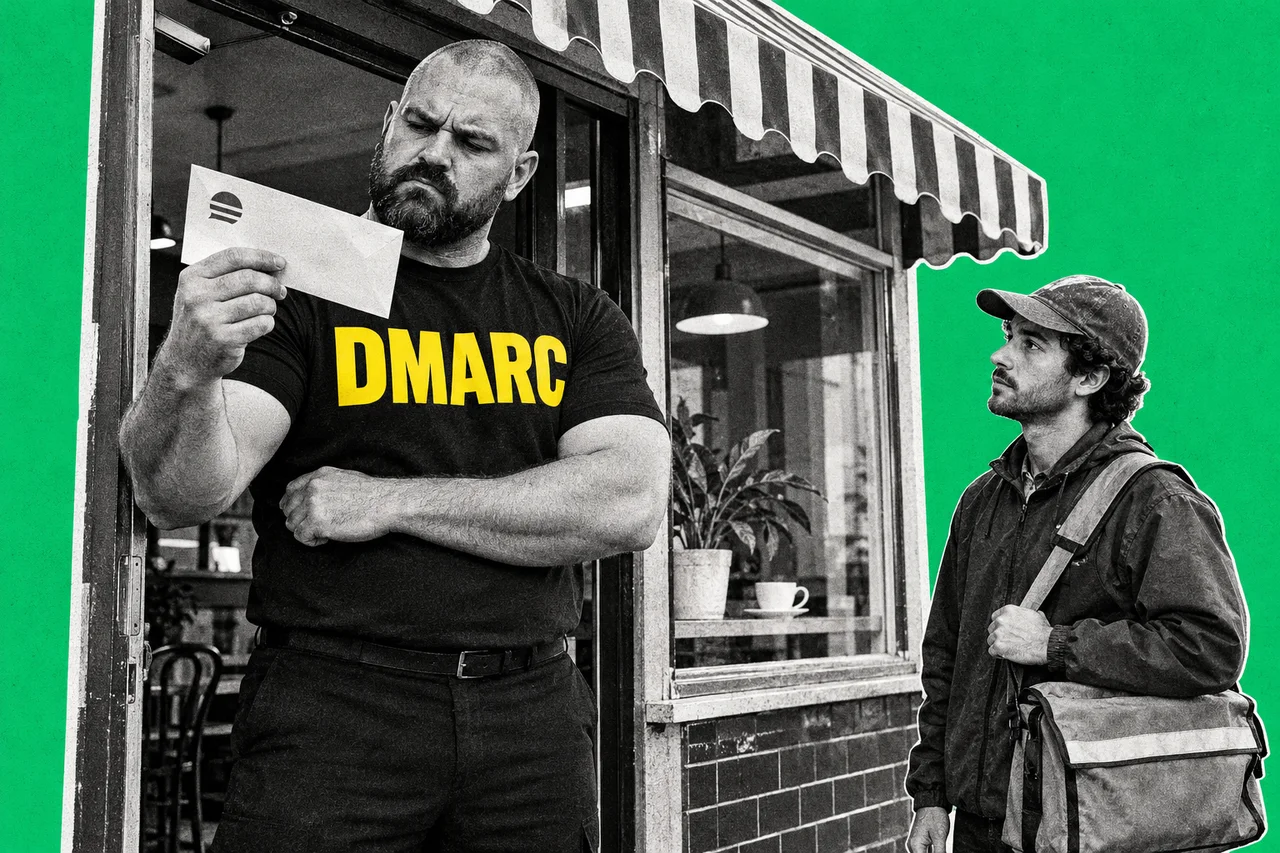
Anyone can write your café’s name at the top of a letter. Email works the same way. A scammer can send a message that says it’s from your business, and without the right setup, there’s little to stop it.
DMARC is the main fix. It’s a short line of text you publish on your domain. It tells the world’s mail services what to do with email that claims to be you but can’t prove it.
Here’s how it works, if email were a café.
Your name is on letters all over town
Picture your café’s letterhead turning up at doors everywhere: your customers, your suppliers, the bank. Most letters are genuinely from you. Some aren’t.
Each of those doors has its own bouncer. That’s the receiving mail service: Gmail, Outlook, Yahoo or a company’s own server. ASD’s Australian Cyber Security Centre explains that a receiving server looks up the DMARC record of the domain an email claims to come from.
So the DMARC bouncer doesn’t work for you. It stands at your customer’s door, following house rules you pin up for every bouncer in town to read. They say what you’d like done with a letter that carries your name but fails the ID check.
Two ways to show ID
DMARC relies on two older checks. Our SPF, DKIM and DMARC explainer covers the setup. In café terms:
- SPF is the list of approved couriers. It names the mail servers allowed to deliver on your behalf: your email provider, your newsletter tool, your booking system.
- DKIM is a wax seal. Your mail service stamps each message with a signature tied to a domain, ideally yours. If anyone tampers with it on the way, the seal breaks.
On their own, neither checks the address in the From line, the one your customer sees. A newsletter service can use its own courier list and stamp its own seal, and both checks pass. Microsoft notes that SPF and DKIM by themselves don’t require the domains to match.
The bouncer checks the letterhead
That’s the gap DMARC closes. Google says DMARC checks how closely the domain in the From line matches the domain verified by SPF or DKIM.
Put simply, the bouncer reads the address on the letterhead, then asks: did an approved courier bring this, or does it carry your seal? One match is enough. Microsoft says a message passes DMARC if one or both checks pass, and fails only when both fail.
This is why services that send email for you, like a newsletter, invoicing tool or website contact form, need setting up properly. If they deliver with their own details instead of yours, your genuine email can fail.
Three house rules
Your DMARC record picks one of three policies. Google describes them like this:
- None: let them in, but note it. The message is delivered as normal. This is monitoring mode. The venue’s other checks still apply, so it’s not a free pass to the inbox.
- Quarantine: send them to the side room. The message goes to the recipient’s spam or junk folder.
- Reject: turn them away. The message isn’t delivered. It’s usually bounced back or discarded.
These are requests, not orders: what actually happens depends on the receiving system.
Google’s advice is to start with “none” for a week, after SPF and DKIM have been running for at least 48 hours, and then tighten. Microsoft’s end goal is “reject”.
The bouncers send you a tally
Here’s the part owners miss. Add a reporting address to your record (the “rua” tag), and the bouncers write back.
Microsoft says these aggregate reports usually arrive once a day. They list the servers sending mail using your domain, whether each passed or failed, and what was done. You get counts, not copies of the letters.
The reports come as compressed files that aren’t easy to read, so a dedicated mailbox and a reporting service help. Not every venue reports either. Typical coverage is 70 to 90% of mail.
Read them before you tighten your rules. They’re how you spot the invoicing tool nobody remembered, before “reject” starts turning its emails away.
Who has to have it
Gmail and Yahoo require DMARC from bulk senders, with a “none” policy as the minimum. Google counts anyone sending more than 5,000 messages a day to personal Gmail accounts as a bulk sender. Outlook.com set the same minimum in 2025 for domains sending more than 5,000 a day.
Most cafés don’t send that much. The ACSC’s advice goes further anyway: “DMARC is critical – implement it now irrespective of your existing controls”, even if only in monitoring mode.
What the bouncer can’t catch
DMARC protects your exact domain name. It doesn’t stop a scammer registering a lookalike, such as an extra letter or a different ending. The bouncer checks that letters using your name are really from you. It doesn’t check that a similar name is.
It also doesn’t check the display name. A scammer can still put “Your Café” next to a Gmail address, so it’s worth teaching staff and customers to look at the actual address.
Checklist
- Check whether your domain has a DMARC record. Ask whoever manages your domain or email, or look for a TXT record at _dmarc.yourdomain.com.au (using your own domain).
- List every service that sends email as your business. Include your mailbox provider, newsletter tool, booking system, invoicing software and website forms.
- Make sure each service passes SPF or DKIM using your domain, not its own. Google recommends setting this up at least 48 hours before adding DMARC.
- Publish a DMARC record set to “none” with a reporting address. Use a dedicated mailbox or a reporting service rather than a staff member’s inbox.
- Read the reports for at least a week. Look for genuine services that fail, and fix them before tightening the policy.
- Move to “quarantine”, then “reject”. Once your own email passes, ask your IT provider to tighten the policy in steps.
Tick items as you go. Your ticks stay in this browser.